Shops
A touch-friendly cash register, stock per warehouse, goods receipt from the supplier's delivery note and stocktaking.
Cash register · Purchasing and stock · Sales
Business software for small and medium-sized companies
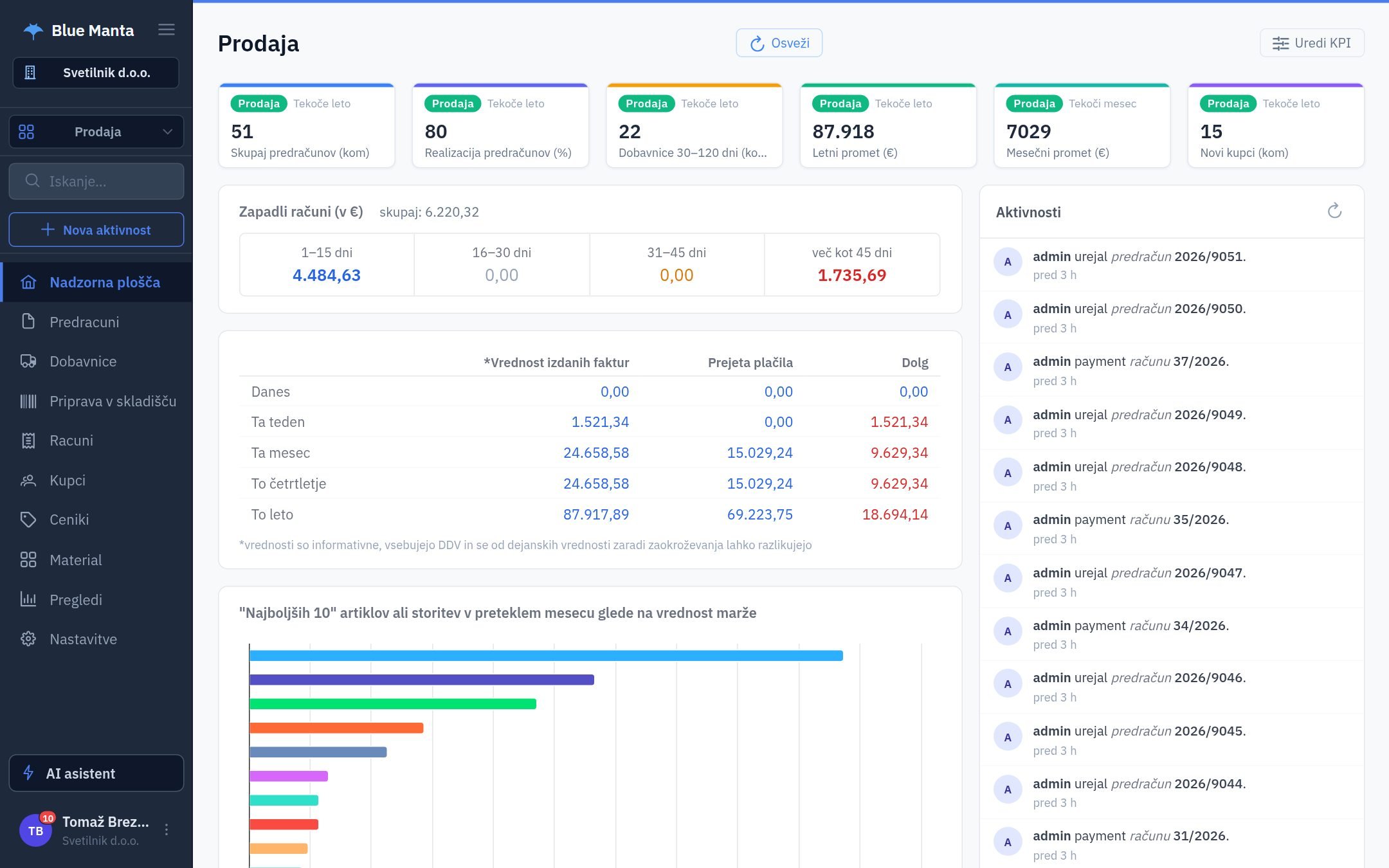
Blue Manta connects sales, inventory, the cash register and accounting. You enter data once – a quote becomes an invoice, the invoice is sent electronically and the payment is matched from the bank statement.
Who it is for
Start with the modules you need. When you add the next one, your customers, items and prices are already there.
A touch-friendly cash register, stock per warehouse, goods receipt from the supplier's delivery note and stocktaking.
Cash register · Purchasing and stock · Sales
Tables by zone, orders sent to the kitchen and bar, split bills and recipes that deduct ingredients.
Cash register · Stock
A fast cash register for services and products, a customer file and daily turnover reports.
Cash register · CRM
Production and service orders, bills of materials, material consumption and measurement certificates.
Production · Purchasing and stock
Quotes, contracts with notice periods, travel orders and payment reminders in the customer's language.
Sales · CRM · e-Office
Customer price lists, e-invoices, consignment stock and a customer rating before you ship.
Sales · Consignment · CRM
Why Blue Manta
Quote → delivery note → invoice → payment. Customer, items, prices and discounts carry over automatically, and stock is reduced by the delivery note.
Bank statements (ISO 20022), online shops, Microsoft 365, Google Workspace and Teams – plus an API and EDI for your own systems.
Turns a received invoice from a PDF or photo into data in seconds and answers questions from your own data. It acts only after you confirm.
All in one: Sales · Purchasing and stock · CRM · Cash register · Production · Consignment · e-Office · Accounting · ISO 9001 · Manti AI
How it works
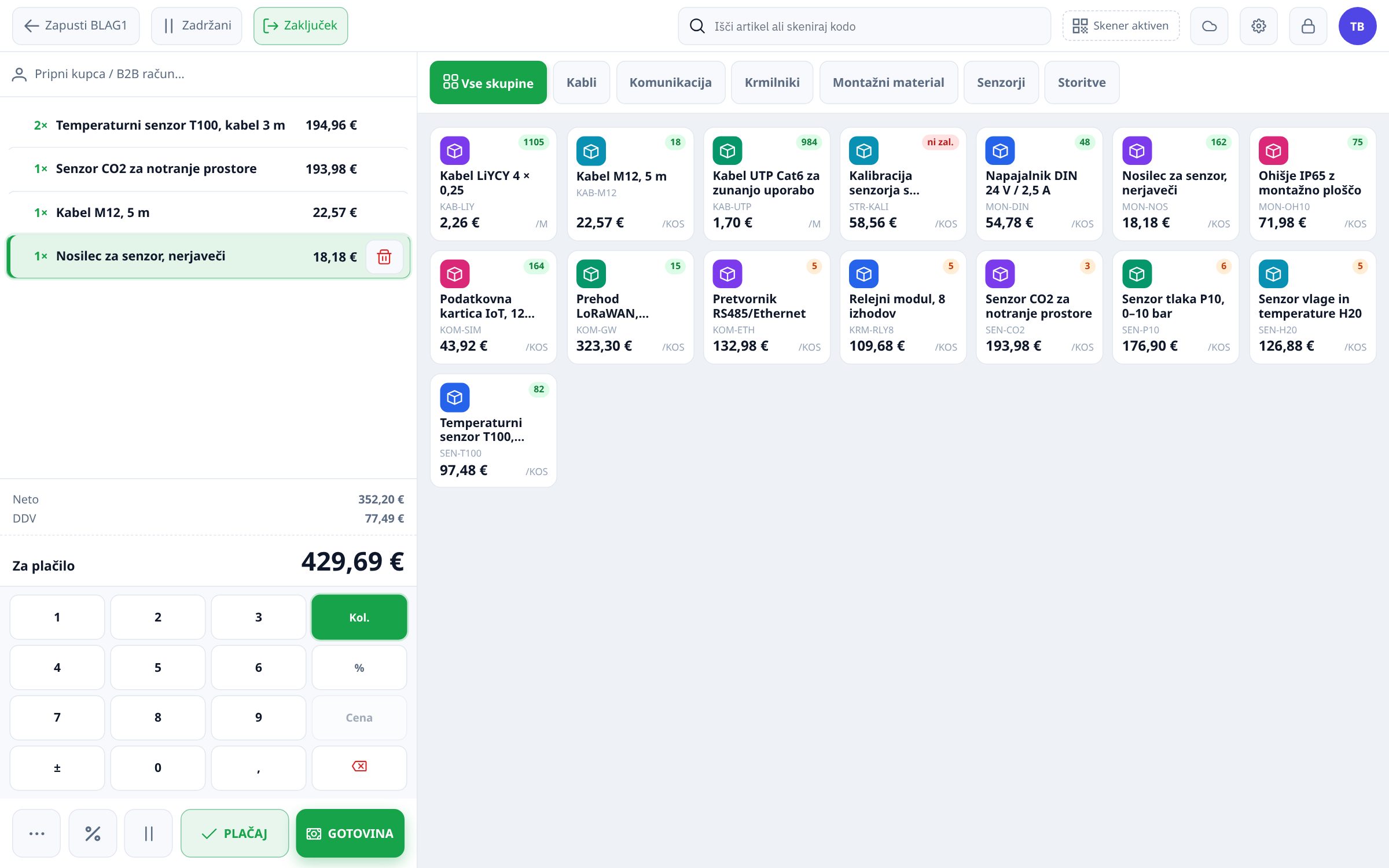
Cash register
Search or scan an item, card payment is one tap. If the internet goes down, the register keeps selling and syncs receipts when the connection is back.
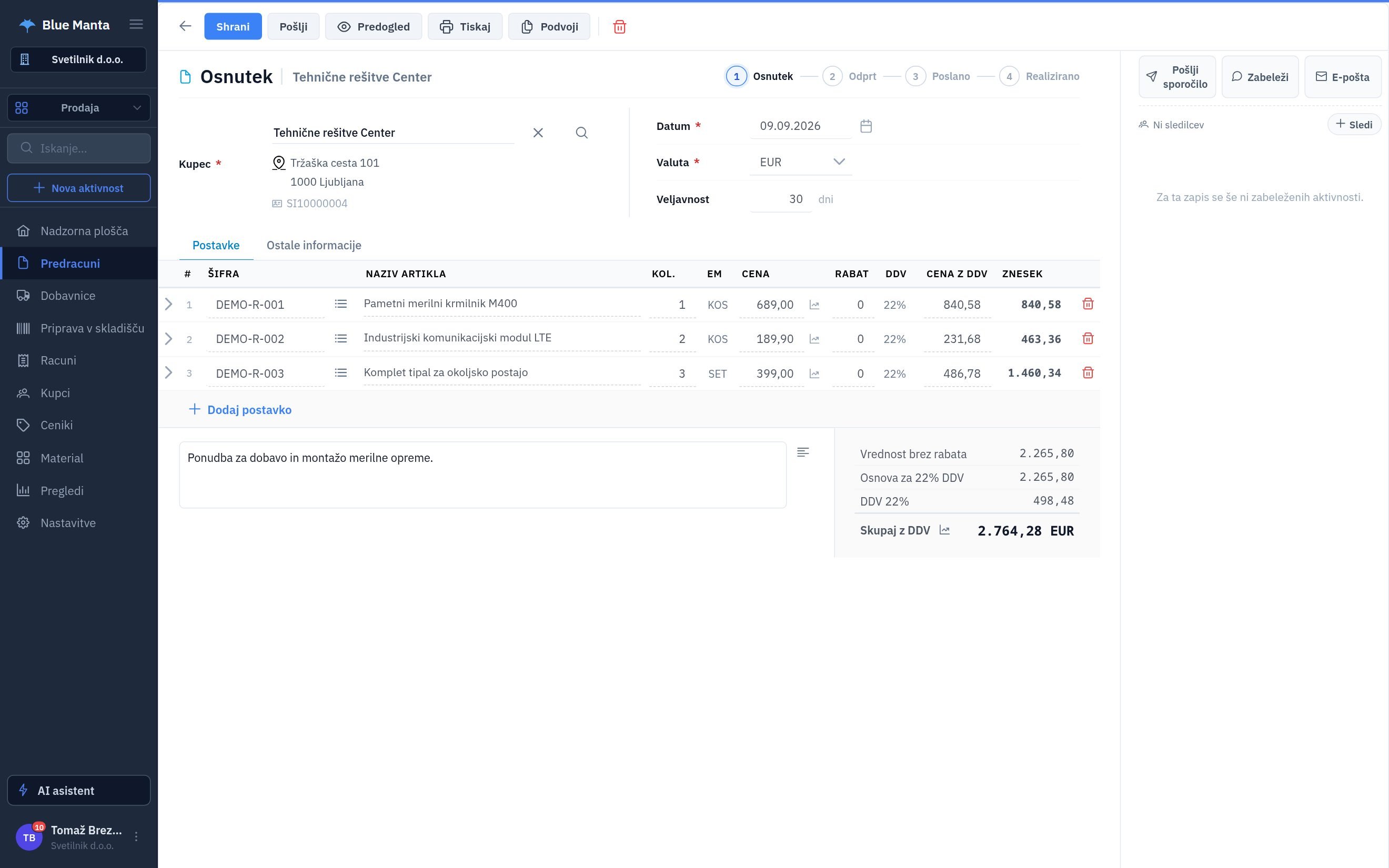
Sales
The program applies the right price list and warns you if a customer has a poor payment history – on the quote, not only when sending a reminder.
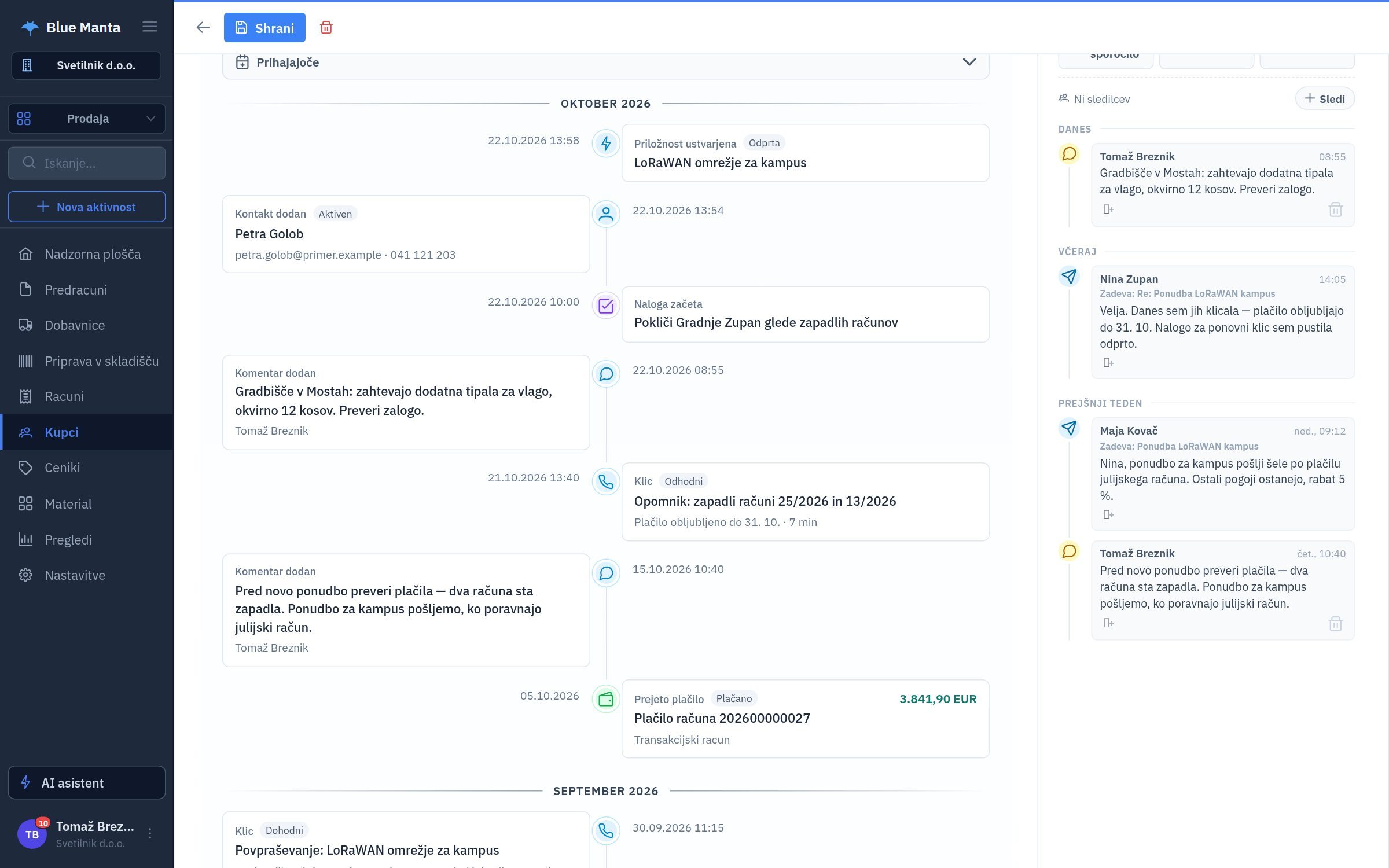
CRM
Quotes, invoices, payments, calls, e-mails, tasks and colleagues' notes in a single timeline. When a new colleague takes over a customer, they know everything within a minute.
Manti AI
"Which receivables are more than 30 days overdue?" Manti answers from your company's data, cites the source and prepares the next step.
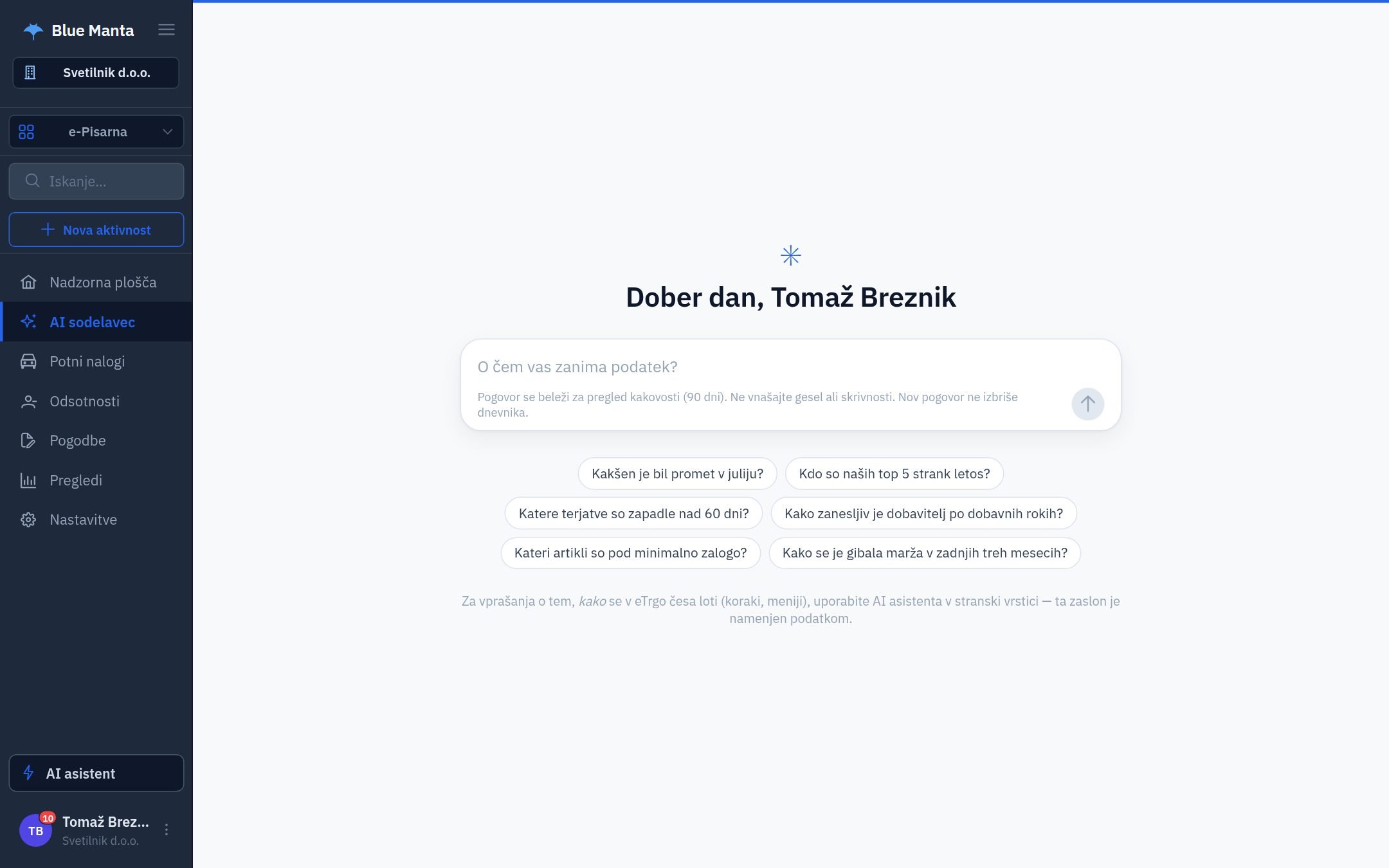
Screenshots from the program with fictitious demo data (user interface in Slovenian).
Integrations
Blue Manta exchanges data with banks, online shops and office tools – no manual retyping.
Statement import, automatic invoice matching and payments without an invoice.
The rate on the invoice date for foreign-currency invoices.
E-mail and calendar alongside CRM records.
Ask Manti questions right in the chat.
Catalogue, prices, promotions and stock for your online shop.
Exchange data with your own systems and business partners.
Maps and partner addresses.
Remote assistance for users.
Getting started
30 minutes on demo data tailored to your business. No slide decks.
We import customers, items and price lists from Excel or your old program – and help with every step.
With one module or all of them. Add the next one when you need it.
Questions
Answers come from the people who build the software. If your question is not here, write to us.
Yes. When you add the next one, the customers, items and documents you already have stay in place.
Import customers, price lists and goods receipts from Excel or CSV; you review the column mapping before anything is saved. We prepare larger migrations together.
Yes, with a local agent on the register. It issues and prints the receipt itself and syncs it once the connection is back.
Only your users, each according to their role. Every company has a separate database schema, sign-in can require a second factor and changes are logged.
No. Manti reads through a separate read-only role and cannot change data. It prepares tasks and drafts only after you confirm; sending stays with you.
30 minutes on data similar to yours – from enquiry to payment. No obligation.
Book a demo