A rota that builds itself
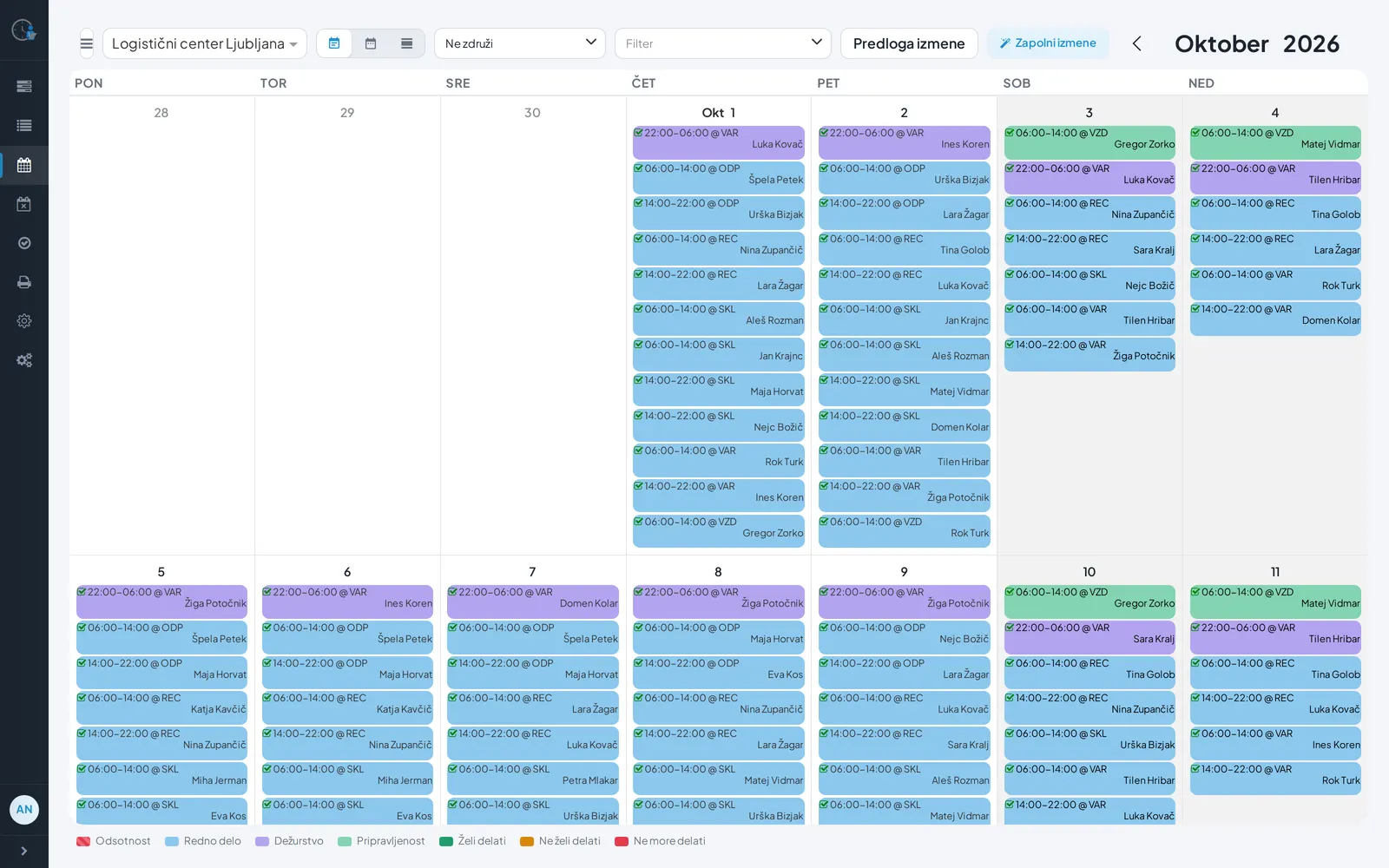
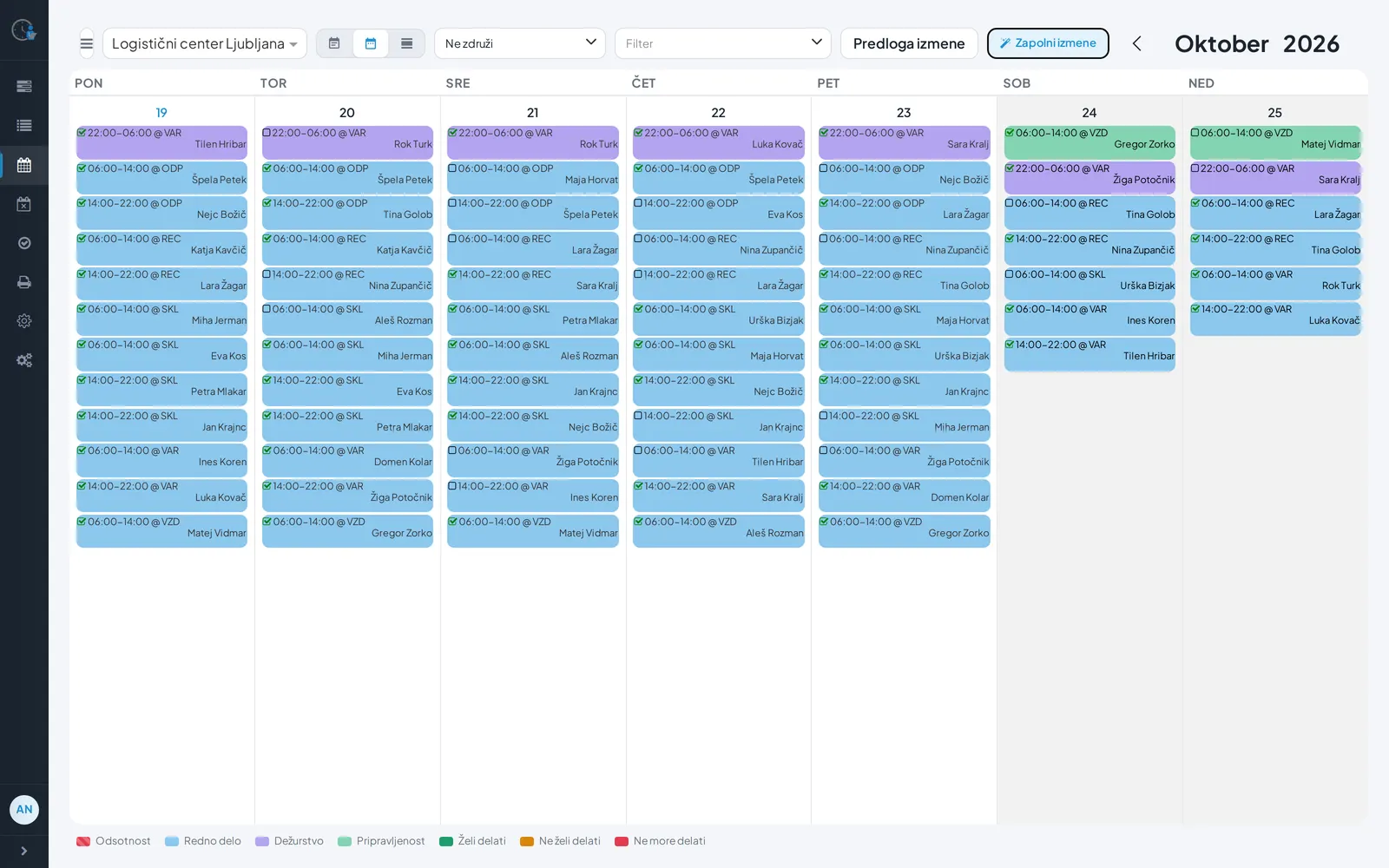
Choose a period and click "Fill shifts". The optimiser learns from your past rotas and chooses the way you would.
For organisations that work in shifts
siSchedule fills open shifts in one click – respecting absences, employee preferences, hour limits and rest after on-call duty.
Why siSchedule
Choose a period and click "Fill shifts". The optimiser learns from your past rotas and chooses the way you would.
When assigning a shift you instantly see who is available, who wants to work, who is absent or lacks the required skills.
Hours are spread evenly across employees, and hour limits and rest after on-call duty are applied automatically.
How it works
Automatic filling
siSchedule finds suitable employees and assigns them for you. At the end you see how many shifts were filled.
Absences
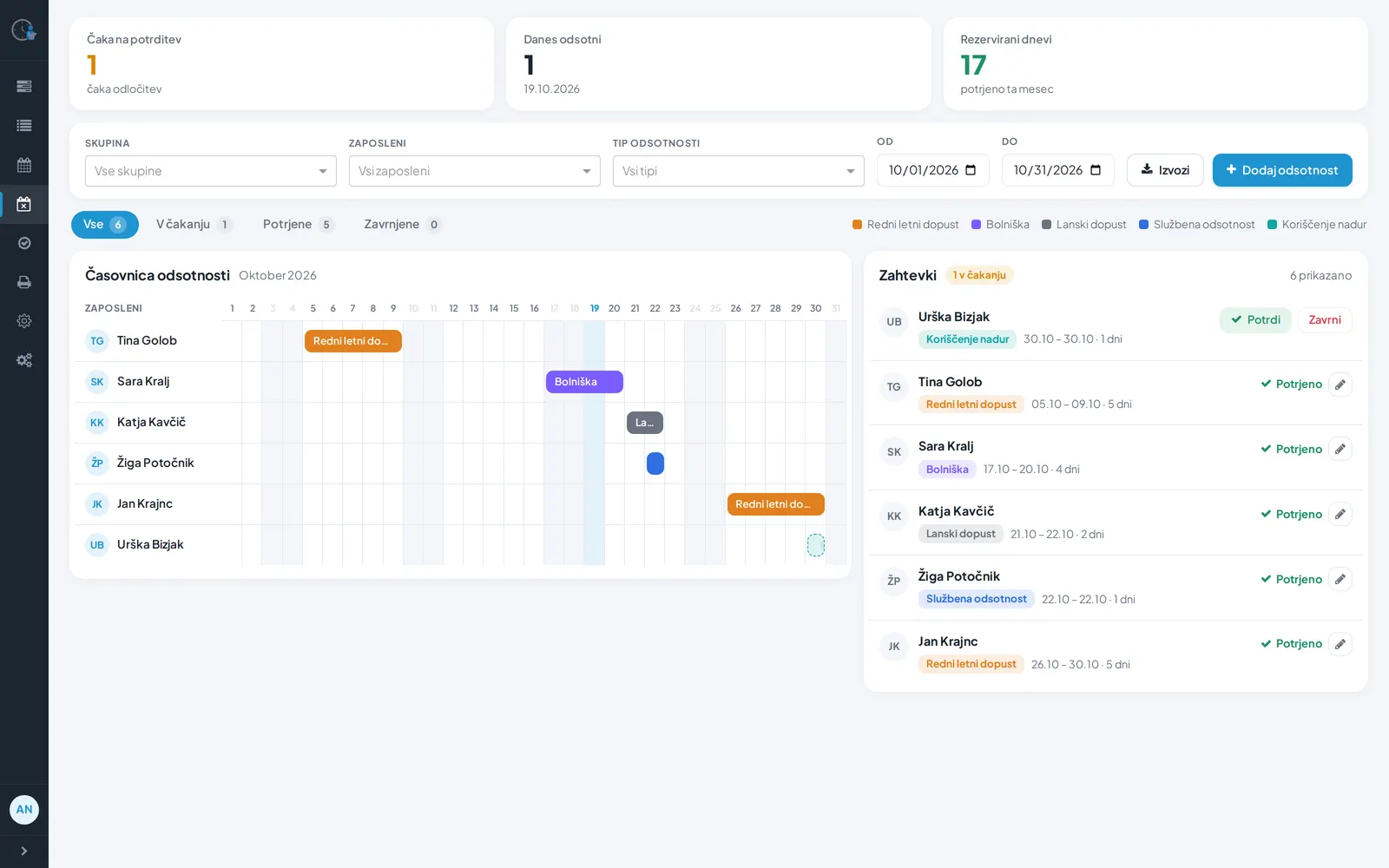
Leave and sick-leave requests arrive in one place. The manager approves them in one click, and approved absences are taken into account in scheduling.
Mobile
On their phone, employees see their next shift and the published rota, enter their availability and request time off.
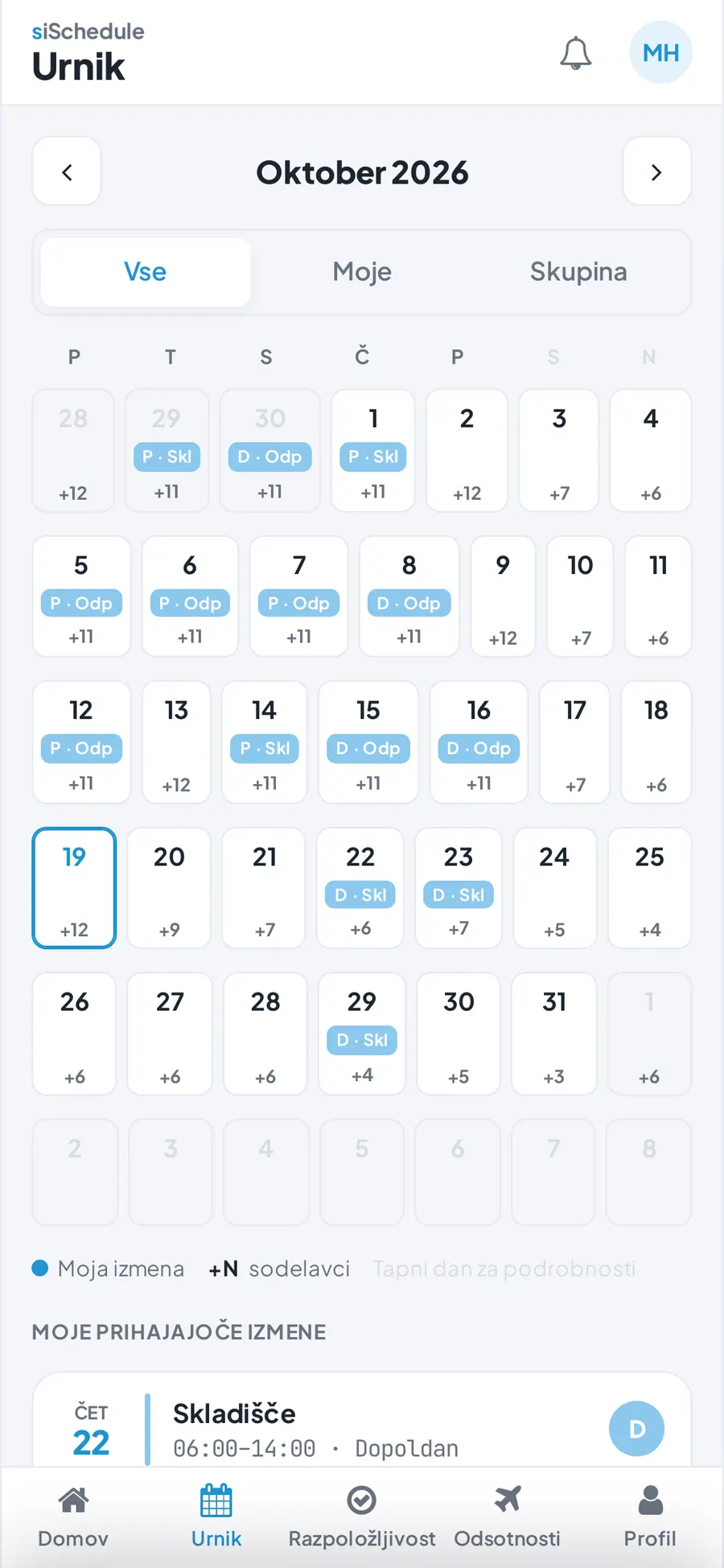
Screenshots with fictitious demo data.
Who it is for
From hospitals to shops – wherever every shift must be covered, every day.
Getting started
We show how siSchedule would work for you, based on the way you work.
Together we prepare groups, work locations, employees and shift templates.
Managers publish the rota and employees see it on their phones.
Questions
Answers come from the people who build the software. If your question is not here, write to us.
For each open shift it finds a suitable employee. It respects absences, days someone cannot work, hour limits, skills and rest after on-call duty, and spreads hours evenly.
No. You prepare the rota as a draft and publish it when it is ready.
No. The mobile version runs in the phone's browser.
Yes. Reports can be exported to PDF or Excel, and the absence list to CSV.
There are Basic, Pro and Enterprise plans. We price them by the number of employees and the features you need.
Book a demo and see how siSchedule builds the rota for your team.
Book a demo